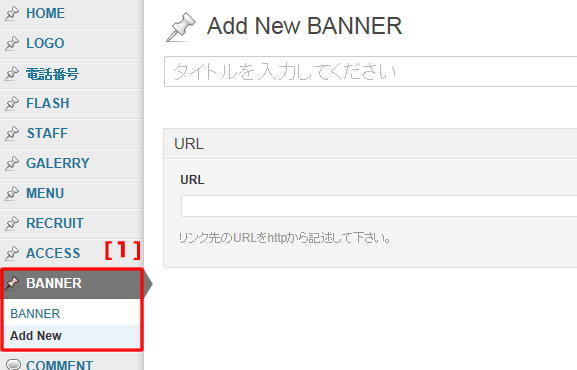
1.管理画面左側メニューの『BANNER』→『AddNew』をクリック。
2.タイトルを入力。
3.リンク先のURLを入力。
4.『アイキャッチ画像を設定』をクリック。
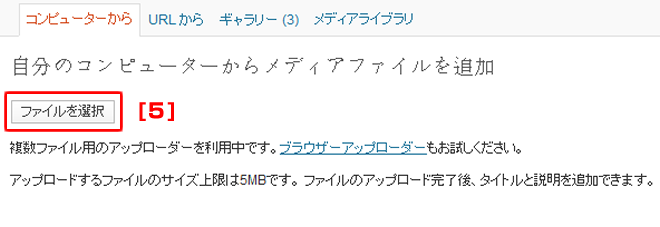
5.『ファイルを選択』をクリック。
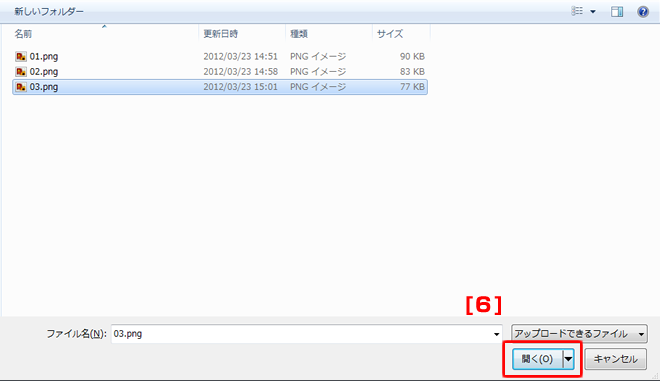
6.使用したい画像を選択し、『開く』をクリック。 
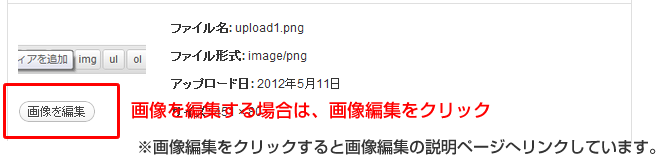
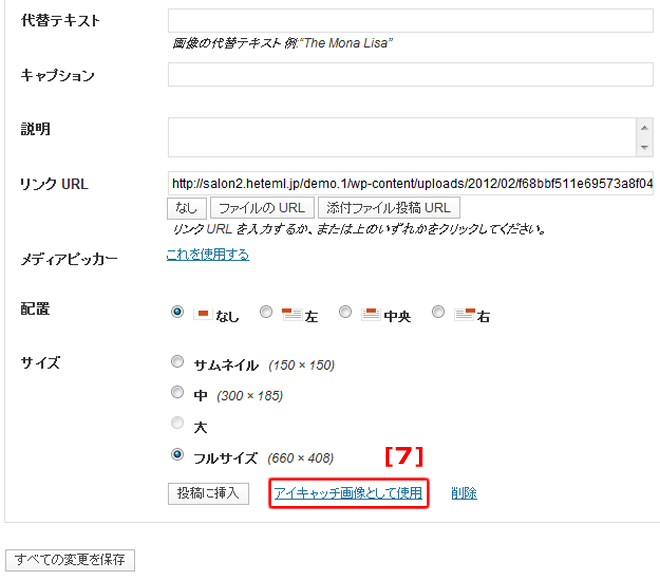
7.サイズを選択し、『アイキャッチ画像として使用』をクリック。
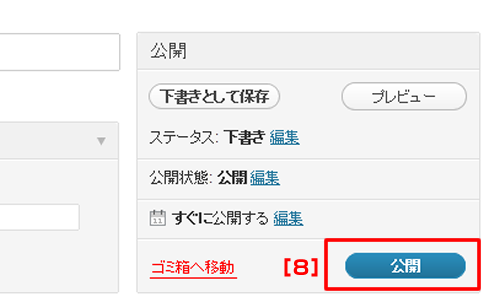
8.『公開』をクリック。
(注) 『公開』をクリックしないと更新した内容がHPに反映されません。

1.管理画面左側メニューの『BANNER』→『AddNew』をクリック。
2.タイトルを入力。
3.リンク先のURLを入力。
4.『アイキャッチ画像を設定』をクリック。
5.『ファイルを選択』をクリック。
6.使用したい画像を選択し、『開く』をクリック。
7.サイズを選択し、『アイキャッチ画像として使用』をクリック。
8.『公開』をクリック。
(注) 『公開』をクリックしないと更新した内容がHPに反映されません。