1.管理画面左側メニューの『STAFF』→『STAFF』をクリック。
2.編集をクリック。
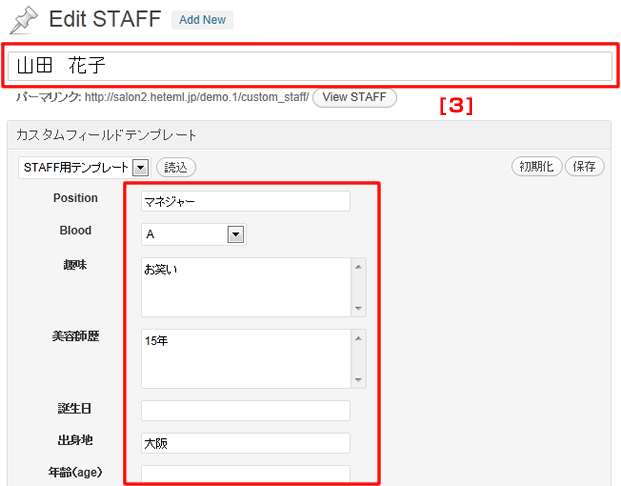
3.タイトルに氏名を、それぞれの項目に必要な情報を入力。※未入力の項目は表示されません
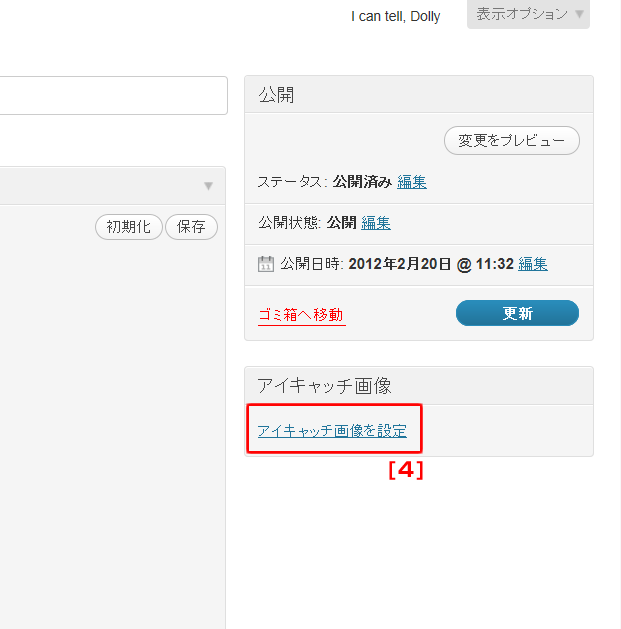
4.『アイキャッチ画像を設定』をクリック。
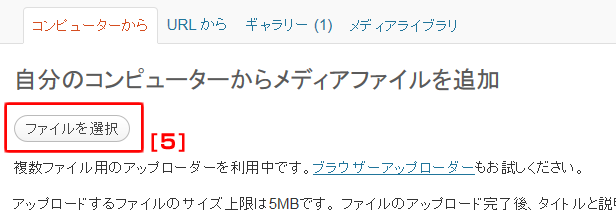
5.『ファイルを選択』をクリック。
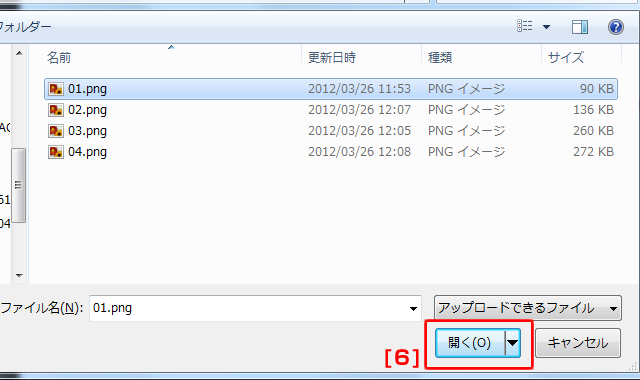
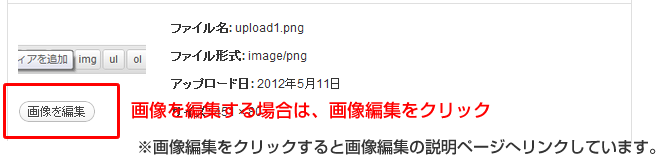
6.使用したい画像を選択し、『開く』をクリック。
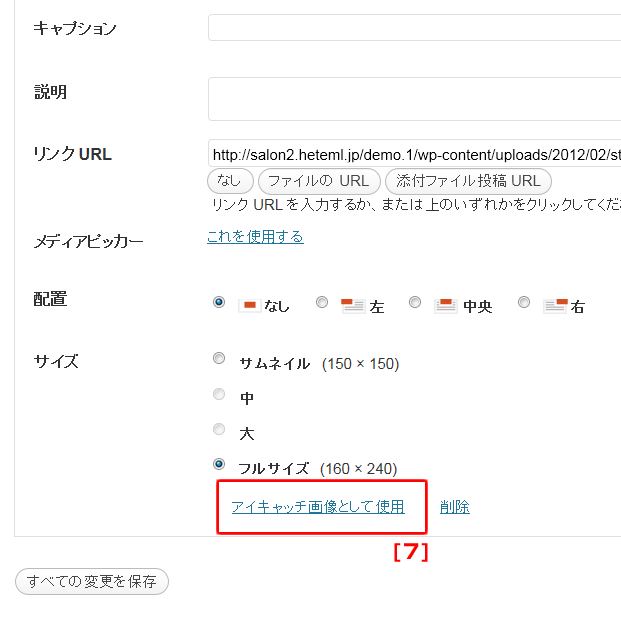
7.サイズを選択し、『アイキャッチ画像として使用』をクリック。
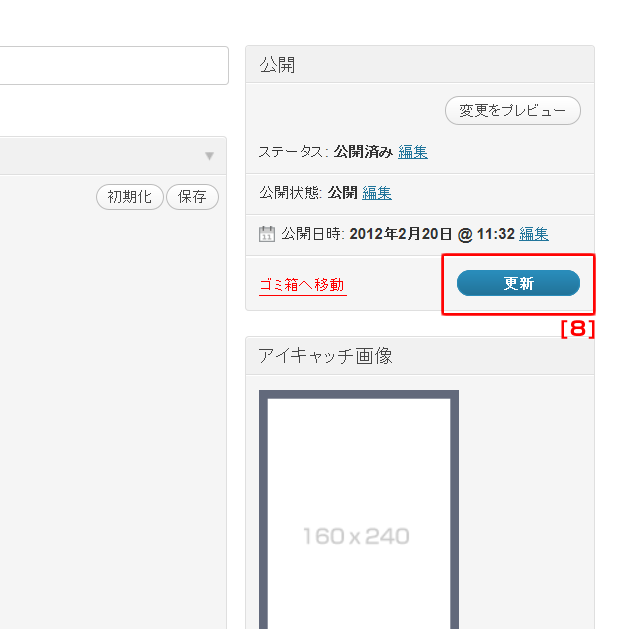
8.編集が終わったら、『更新』をクリック。

1.管理画面左側メニューの『STAFF』→『STAFF』をクリック。
2.編集をクリック。
3.タイトルに氏名を、それぞれの項目に必要な情報を入力。※未入力の項目は表示されません
4.『アイキャッチ画像を設定』をクリック。
5.『ファイルを選択』をクリック。
6.使用したい画像を選択し、『開く』をクリック。
7.サイズを選択し、『アイキャッチ画像として使用』をクリック。
8.編集が終わったら、『更新』をクリック。